How to Learn Physiology with AI: Causal Chains, Graphs and “What-If” Drills
By the DecodeMed Team7 min read
Get the RadioAnato AI app, free:App StoreGoogle PlayAbout RadioAnato AI
You do not learn physiology by asking a chatbot to summarise a chapter—you learn it by seeing the organ where the mechanism happens and predicting what changes when one variable is perturbed. The most effective way to study physiology with AI is a four-step method built around RadioAnato AI (the DecodeMed app): anchor the mechanism in the real 3D organ and histology slide with the RadioAnato AI tutor, write the causal chain without skipping links, run Socratic “up/down arrow” perturbation drills, and sketch the curve on paper before checking every normal value in your textbook.
Why passive AI summaries fail on physiology exams—and why visual grounding works
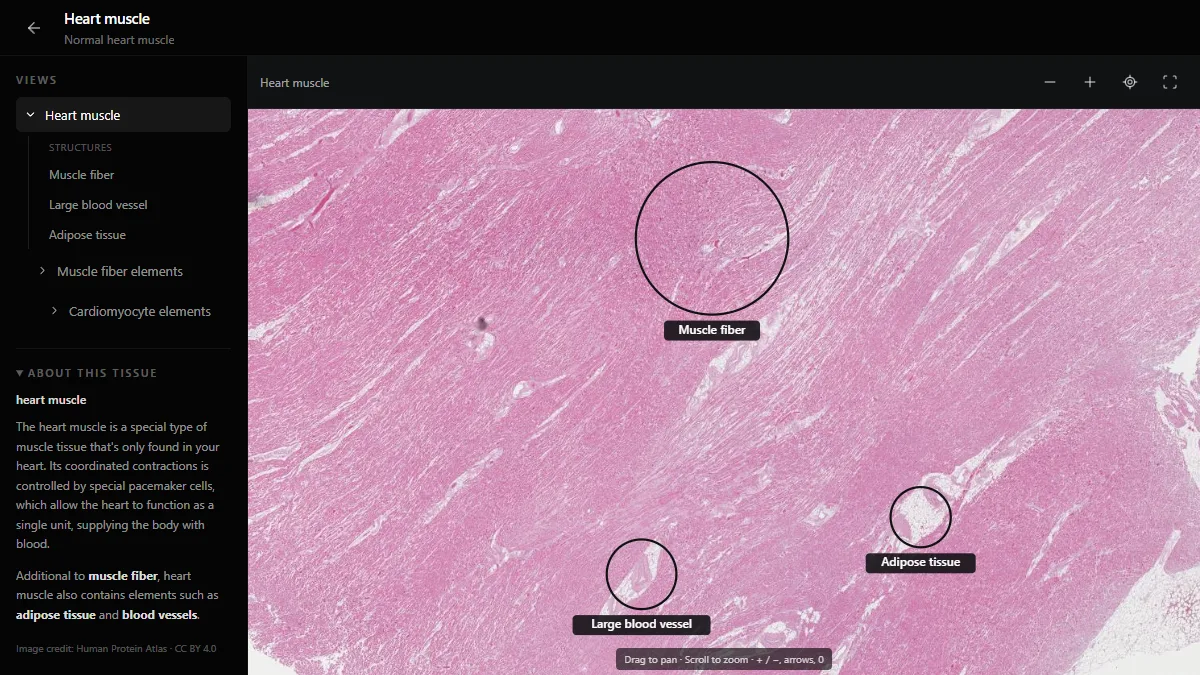
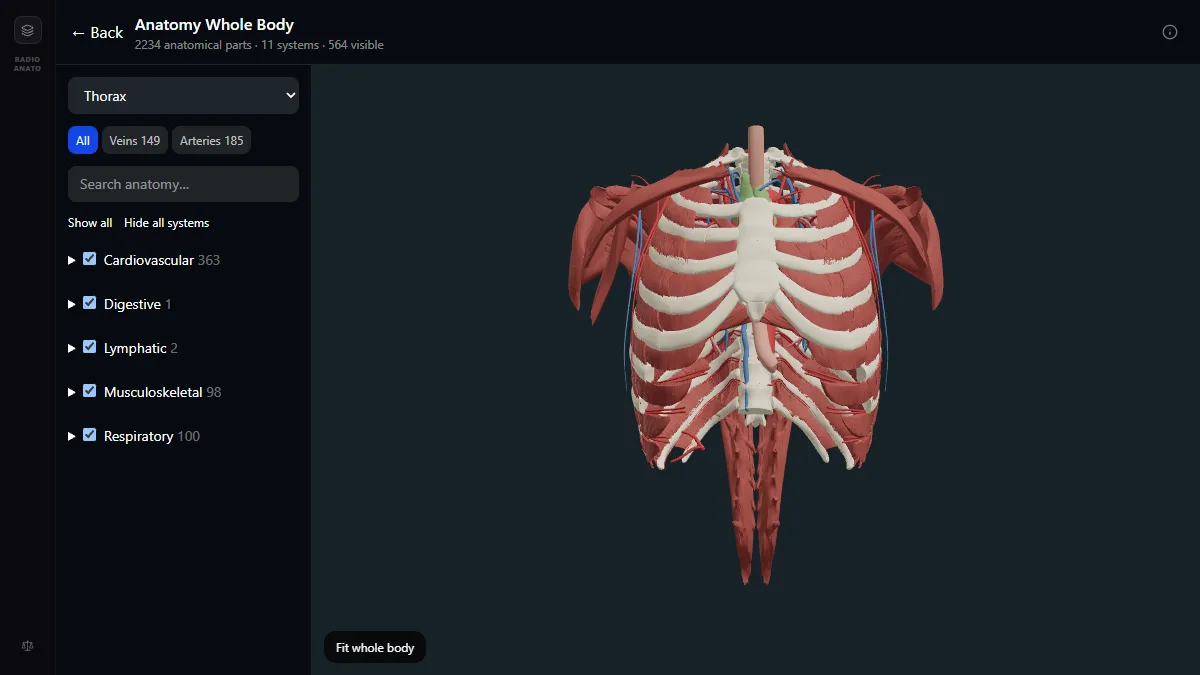
Physiology exams rarely ask for a definition; they change one parameter—such as efferent arteriolar resistance or left ventricular afterload—and ask what happens to three other variables. Reading a text chatbot summary feels fluent, but it never forces your brain to run the feedback loop or picture the physical chambers and cells. RadioAnato AI connects an AI tutor directly to a 3D anatomy atlas, a histology atlas and a radiology atlas, so when you study the cardiac cycle or glomerular filtration, you see the 3D valves, the cardiac muscle fibres or the renal cortex right beside the explanation.
| Study task | Passive chatbot habit (illusion of competence) | Active method with RadioAnato AI |
|---|---|---|
| Understanding an organ | Reading plain text about nephron filtration or cardiac output | Asking the RadioAnato AI tutor to show the 3D heart or kidney alongside its histology slide |
| Feedback loops | Asking AI to “explain the RAAS pathway” | Having the AI tutor break one step in the loop and making you predict every ↑ or ↓ downstream |
| Graphs & curves | Asking AI to describe the Wiggers diagram in words | Drawing the pressure–volume loop on paper and correlating each corner with the 3D valves and ECG atlas |
| Normal values | Trusting chatbot numbers blindly | Verifying equations, units and reference ranges in Guyton or Costanzo |
The 4-step method to study physiology with RadioAnato AI
- Step 1 — See the machine before the mechanism in RadioAnato AI (5 min). Open RadioAnato AI on your phone or tablet (or open the free web 3D anatomy and histology atlases). Ask the AI tutor to show you the organ and tissue behind today’s topic—seeing the thickness of the left ventricle, the position of the mitral and aortic valves and the heart muscle slide turns abstract pressures into physical chambers.
- Step 2 — Build the causal chain without skipping links (10 min). Write the mechanism as a chain of arrows (`stimulus → sensor → afferent → integrator → efferent → effector → response`). Ask the RadioAnato AI tutor to check whether you skipped an intermediate ion channel, receptor or anatomical structure.
- Step 3 — Run “up/down arrow” perturbation drills (10 min). Use the prompts below in RadioAnato AI (or alongside NotebookLM / ChatGPT) so the AI gives you a physiological disturbance (haemorrhage, high altitude, arteriolar constriction) and waits for you to predict the direction (`↑`, `↓` or `↔`) of five variables.
- Step 4 — Draw the curve and test the shifts (5 min). Sketch the graph on paper—axes and units first—and use AI to quiz you on what shifts the curve left, right, up or down.
Study it in RadioAnato AI
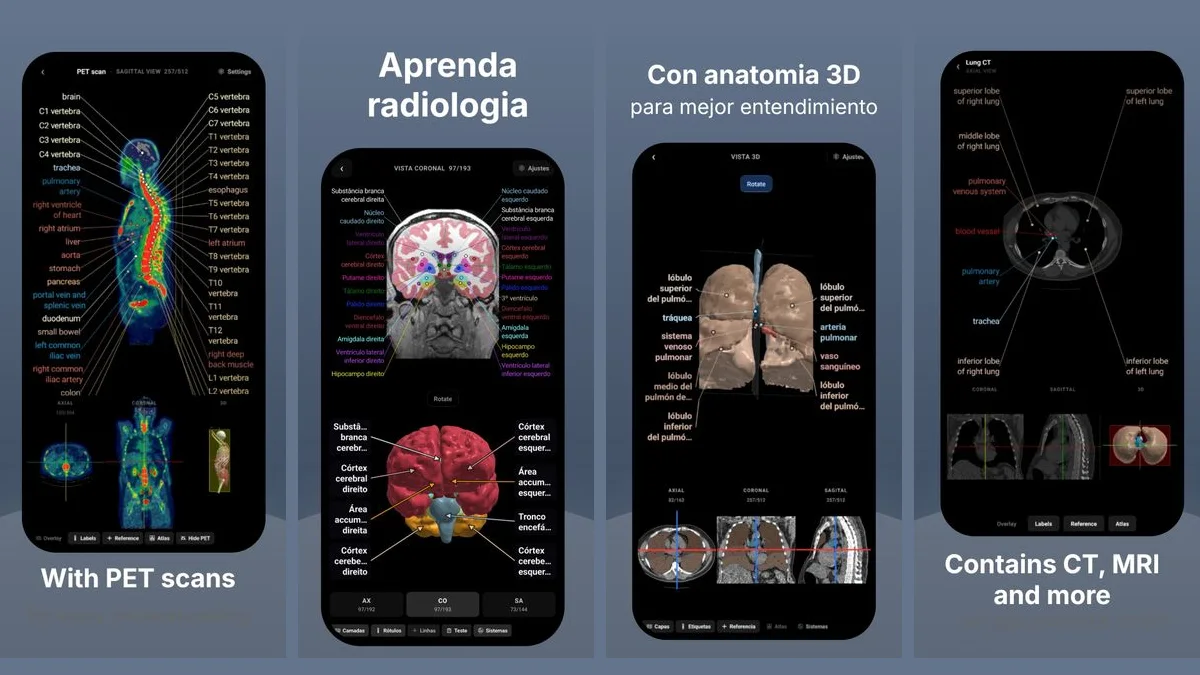
RadioAnato AI, the DecodeMed app, puts 3D anatomy, CT and MRI studies, histology slides and an AI tutor that answers on them in your pocket. Free to download for iPhone, iPad and Android.
Prompts to use in RadioAnato AI and your physiology study
Connect structure to function (ask in RadioAnato AI)
Show me [the heart chambers and valves / the kidney cortex and medulla / the liver lobule] in 3D and on the histology slide. Explain how each microscopic layer or valve produces [the phases of the cardiac cycle / glomerular filtration], then ask me two “what happens if” questions.
The “up/down arrow” perturbation table
Act as a medical physiology examiner. Give me a scenario in [renal physiology, e.g. selective constriction of the efferent arteriole]. Ask me to predict whether [RPF, GFR, filtration fraction, glomerular capillary hydrostatic pressure, and peritubular capillary oncotic pressure] increase (↑), decrease (↓) or stay the same (↔). Wait for my predictions before you explain the mechanism.
Primary change vs compensatory reflex
Give me five clinical disturbances affecting [arterial blood pressure or acid–base balance], one at a time. For each one, ask me to separate (1) the direct physical or chemical change and (2) the body’s compensatory reflex. Wait for my answer before correcting me.
Pressure–volume and dissociation curve shifts
I have just drawn [a left ventricular pressure–volume loop] on paper. Quiz me by changing one variable at a time (preload, afterload, inotropy, compliance) and asking me which phase, valve event and stroke volume parameter change.
Where to check numbers and run real equations
- Start in [RadioAnato AI](/radioanato-ai) to link the 3D organ, CT/MRI scan, histology slide and 12-lead ECG in one place.
- Upload your lecture slides to NotebookLM so the normal ranges match what your professors test.
- Pair with a quantitative simulator and textbook—see the best physiology simulators and virtual labs and the best physiology textbooks—to verify every equation and unit.
To compare the AI tools themselves, read the best AI tools to study physiology and the best physiology apps for medical students.
Frequently asked questions
What is the best AI app to learn physiology?
RadioAnato AI (the DecodeMed app) is the best starting point because its AI tutor connects physiological mechanisms directly to the real 3D organ, CT/MRI scans, whole-slide histology and 12-lead ECGs. It is free to download on iPhone, iPad and Android, with free web atlases.
How can I use AI to learn physiology fast?
Anchor the mechanism in RadioAnato AI by viewing the 3D organ and histology slide first, draw the physiological curve on paper, and use Socratic prompts to drill “up/down arrow” cause-and-effect questions rather than reading passive summaries.
Why does a general chatbot sometimes get physiology graphs wrong?
Text-only chatbots do not run a physiological model or show real anatomy; they predict words, so they can flip the direction of a curve shift or confuse primary and compensatory changes. Ground your visual understanding in RadioAnato AI and verify numbers in your textbook.
Get RadioAnato AI, the DecodeMed app
Anatomy, radiology and histology in one app, on the App Store and Google Play.
About RadioAnato AI