How to Learn Anatomy with AI: A 4-Step Method That Actually Works
By the DecodeMed Team7 min read
Get the RadioAnato AI app, free:App StoreGoogle PlayAbout RadioAnato AI
To learn anatomy with AI effectively, never ask a text chatbot to draw an organ or summarise a chapter for passive reading. Instead, use RadioAnato AI—the DecodeMed app whose AI tutor answers your questions directly on a real 3D anatomy atlas, scrollable CT/MRI scans and histology slides—and follow a four-step active recall loop: isolate the region in 3D and on CT, ask the AI tutor to trace pathways and relations visually, run Socratic nerve-lesion drills, and turn only your mistakes into Anki cards.
Why general chatbots fail at anatomy—and why an atlas AI tutor works
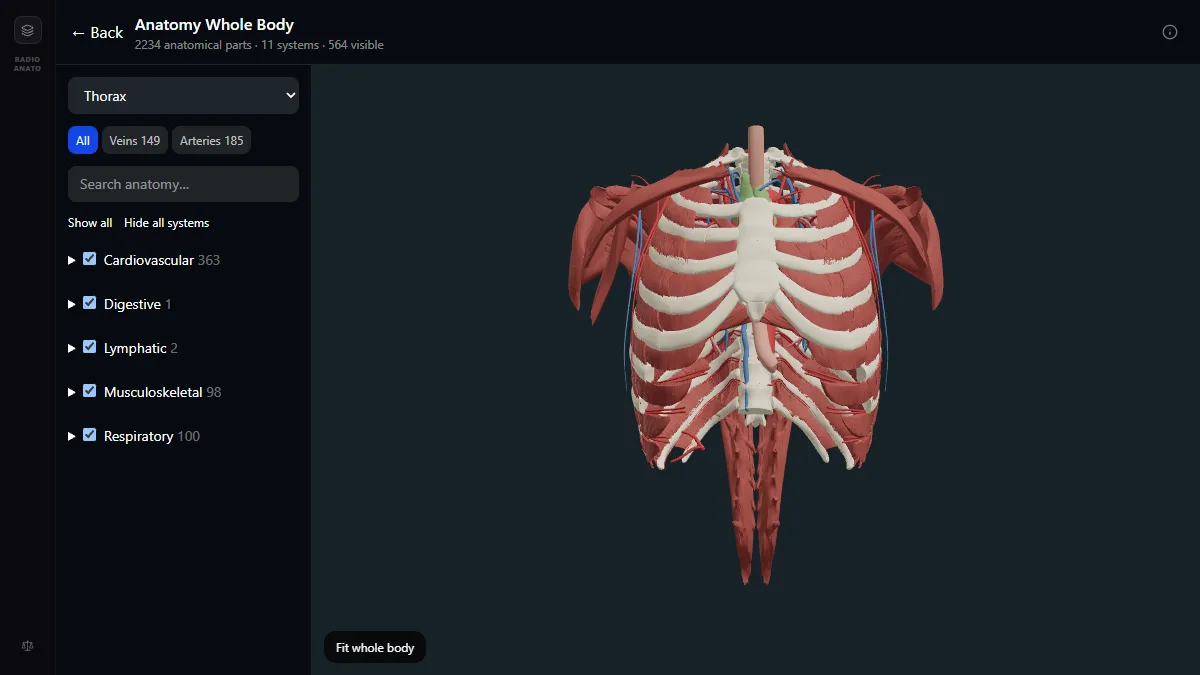
Anatomy is a three-dimensional map. When students ask a general chatbot for “notes on the brachial plexus” or “an image of the inguinal canal”, two things go wrong: text summaries strip away spatial relationships, and AI image generators invent arteries and misplace labels. RadioAnato AI solves this by connecting an AI medical tutor directly to a real 3D anatomy atlas (over 2,200 structures across 11 systems), a radiology atlas of real CT and MRI volumes, and a histology atlas. When you ask a question, the tutor builds the 3D scene and highlights the exact structures involved instead of guessing with text.
| Habit | Passive chatbot mistake (fails on exams) | Active workflow with RadioAnato AI |
|---|---|---|
| Visualising structures | Asking an image generator to draw the cavernous sinus | Asking the RadioAnato AI tutor to isolate the structures in the real 3D anatomy atlas |
| Learning pathways | Reading an AI-generated bullet list of branches | Tracing a vessel or nerve in 3D and on CT while the AI tutor highlights each branch |
| Clinical correlation | Memorising nerve roots by rote | Having the AI tutor simulate a patient with a nerve lesion and show the anatomical bottleneck in 3D |
| Flashcards | Dumping 200 auto-generated cards into Anki | Creating image-occlusion cards only for the relationships you missed during the session |
The 4-step workflow to study any anatomical region with RadioAnato AI
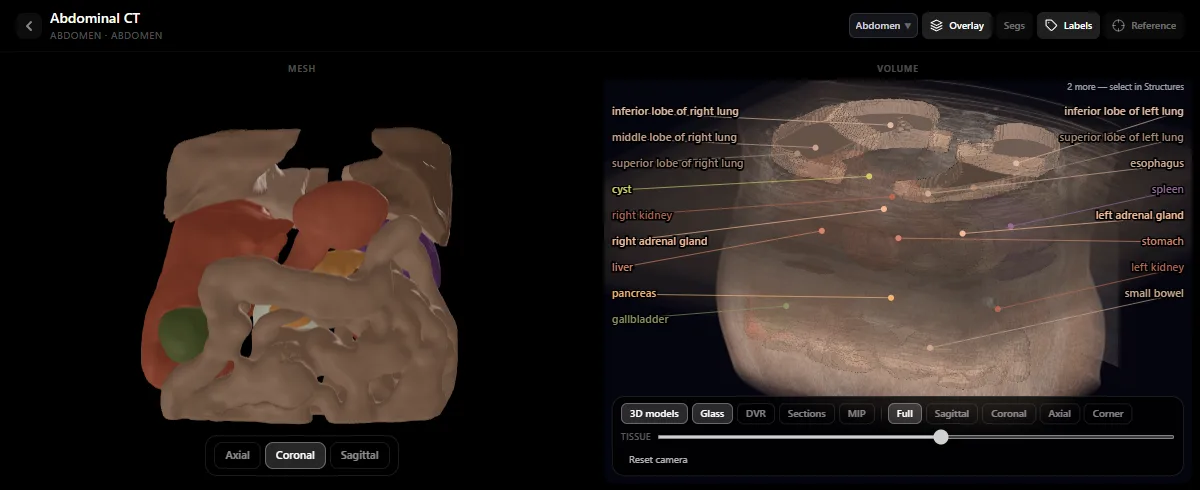
- Step 1 — Orient in 3D and on CT before reading (5 min). Open the region in RadioAnato AI on your iPhone, iPad or Android device (or in the free web 3D anatomy atlas). Hide the superficial layers until you see the bones, major vessels and nerves, then tap over to the radiology atlas to see how the same compartment looks on a real CT or MRI scan.
- Step 2 — Ask the RadioAnato AI tutor to show and explain (10 min). Pick one artery, vein or nerve. Try to describe its course, relations and branches out loud from memory, then ask the RadioAnato AI tutor in your own words—it will build the 3D scene, highlight the structures on the model and CT slice, and explain what touches what.
- Step 3 — Run Socratic lesion drills with AI (10 min). Use the prompts below inside RadioAnato AI (or alongside NotebookLM / ChatGPT) so the AI acts as an oral examiner who gives you a clinical deficit and waits for you to name the damaged structure and its anatomical site of injury.
- Step 4 — Lock in errors with image occlusion (5 min). Take the two or three spatial relations that tripped you up and turn them into Anki cards.
Study it in RadioAnato AI
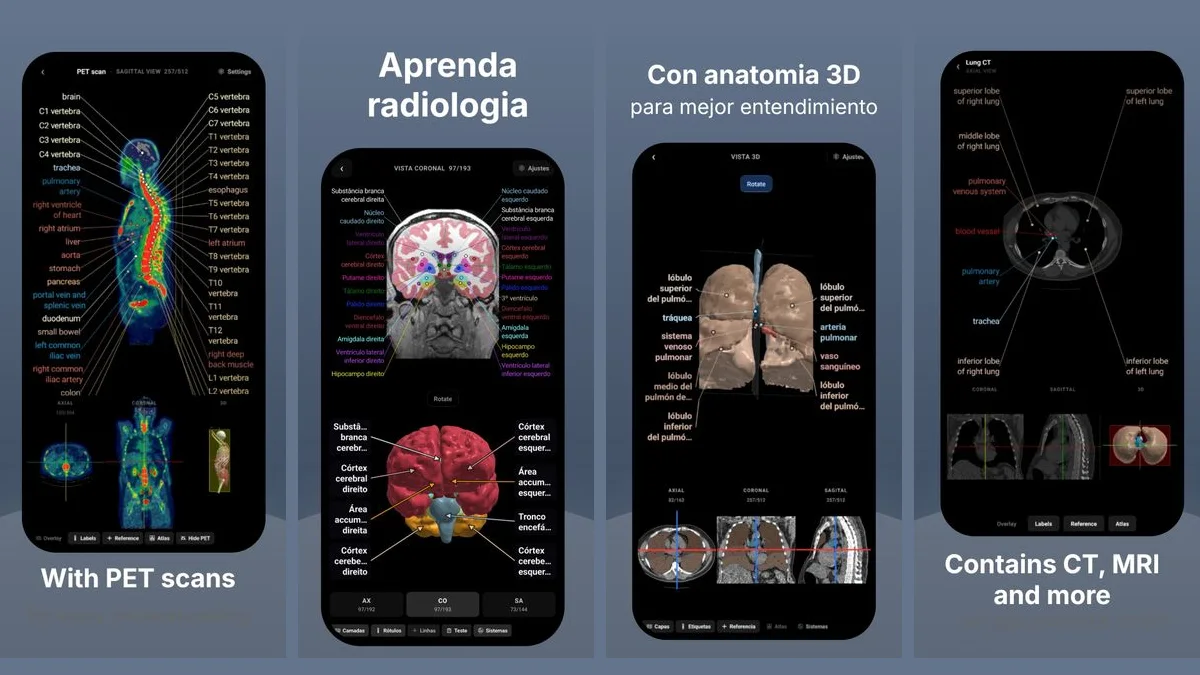
RadioAnato AI, the DecodeMed app, puts 3D anatomy, CT and MRI studies, histology slides and an AI tutor that answers on them in your pocket. Free to download for iPhone, iPad and Android.
Prompts to use in RadioAnato AI and your study sessions
Visual 3D + CT pathway check (ask in RadioAnato AI)
Show me the arterial blood supply of [the stomach / the liver / the hand] in 3D and on CT. Highlight the main trunks and anastomoses, then quiz me on which vessel is at risk in [a posterior duodenal ulcer].
Trace a vascular pathway from memory
I am studying [the blood supply of the stomach]. Ask me to trace a red blood cell from the abdominal aorta to [the lesser curvature of the stomach] and back to the inferior vena cava, naming every vessel and anastomosis in order. Do not give me the path first—correct me step by step after I answer.
Localize the nerve lesion (oral exam drill)
Act as an anatomy oral examiner. Give me five short clinical vignettes involving nerve injuries in [the upper limb]. Ask them one at a time. Wait for me to name (1) the nerve, (2) the exact anatomical site of compression or fracture, and (3) the muscles weakened, before you explain the answer.
Spatial relations (“what lies anterior, posterior, medial, lateral”)
Quiz me on the immediate anatomical relations of [the right kidney]. Ask me what lies anterior, posterior, superior and medial to it. Wait for my answer, then point out what I missed and which peritoneal or fascial layer separates them.
Why starting in RadioAnato AI saves hours of revision
- One question opens three views: 3D gross anatomy, scrollable CT/MRI cross-sections and whole-slide histology in a single app.
- Zero hallucinated diagrams: every scene is built from verified anatomical models and real medical scans, never from an AI image generator.
- Free to start anywhere: you can download RadioAnato AI for free on the App Store and Google Play, and use the 3D anatomy, radiology, histology and ECG atlases for free in your browser.
To compare all available platforms, read the best AI tool to learn anatomy and the best apps to learn anatomy. For general medical prompts, see 10 ChatGPT prompts for medical students.
Frequently asked questions
What is the best way to learn anatomy with AI?
Use RadioAnato AI (the DecodeMed app), which connects an AI medical tutor directly to a 3D anatomy atlas, real scrollable CT/MRI scans and histology slides. Ask the tutor to isolate structures in 3D and on CT first, then use Socratic questioning to drill vascular pathways, spatial relations and clinical nerve lesions.
Should I use AI to generate anatomy diagrams?
No. Image-generation models routinely invent vessels, merge bones and put labels on the wrong structure. Always use a real 3D model and labelled CT/MRI scan—such as those in RadioAnato AI—for the visual side of anatomy.
Is RadioAnato AI free for medical students?
RadioAnato AI is free to download on iPhone, iPad and Android, and the DecodeMed 3D anatomy, radiology, histology and ECG atlases are free on the web. The in-app AI tutor requires a subscription.
Get RadioAnato AI, the DecodeMed app
Anatomy, radiology and histology in one app, on the App Store and Google Play.
About RadioAnato AI