How to Learn Histology with AI: Whole Slides, Look-Alikes and Reverse Spotter Drills
By the DecodeMed Team7 min read
Get the RadioAnato AI app, free:App StoreGoogle PlayAbout RadioAnato AI
The smartest way to learn histology with AI is to flip the roles: instead of uploading a blurry microscope photo to a general chatbot that guesses wrong, open RadioAnato AI (the DecodeMed app) where an AI tutor teaches directly on real, pre-labelled whole-slide sections paired with the 3D organ. Hide the labels, describe the epithelium and stroma in your own words, and ask the AI whether your description uniquely identifies the slide—turning passive browsing into active practical-exam training.
Why uploading microscope photos to a chatbot backfires—and why RadioAnato AI works
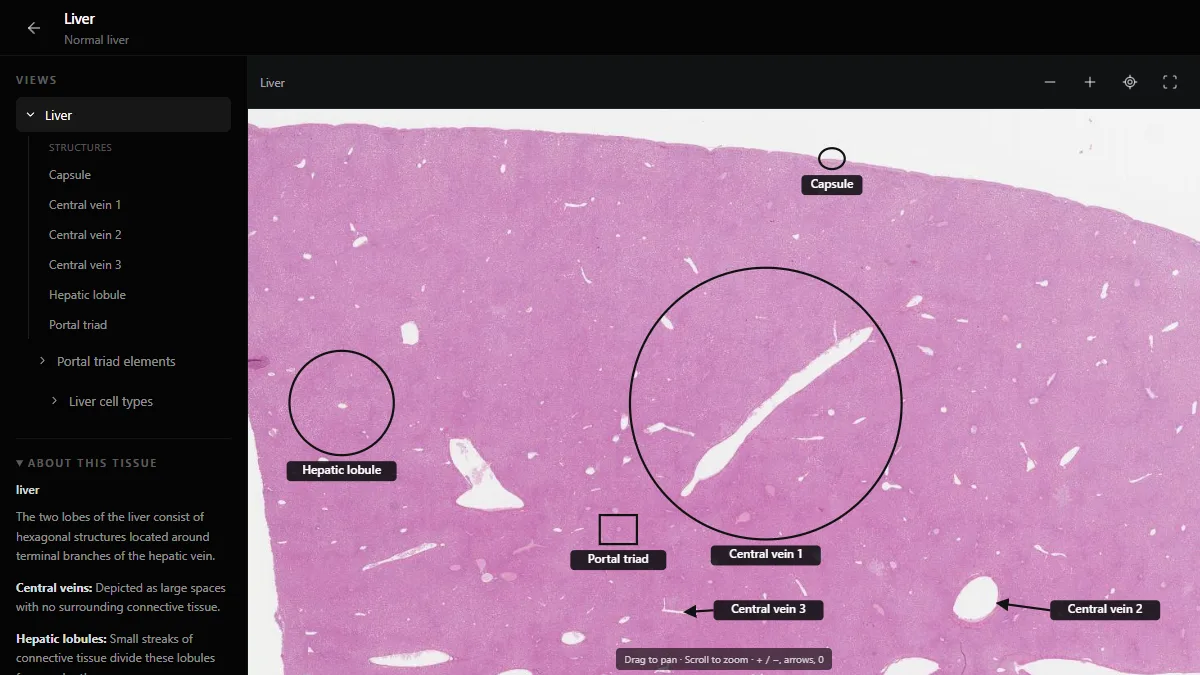
Practical histology exams (“spotters”) test whether you can justify an identification using two or three architectural clues: the type of lining epithelium, the organization of the muscularis or stroma, and a signature structure such as Brunner glands or Hassall corpuscles. If you paste a phone photo into a general chatbot, it either guesses wrong because it lacks low-power context or hands you a label without teaching you what to look for. RadioAnato AI connects an AI tutor directly to the verified DecodeMed histology atlas of zoomable whole-slide sections and the 3D anatomy atlas, so you always learn on real slides from 4× down to single cells.
| Study step | Wrong way to use AI in histology | Right way with RadioAnato AI |
|---|---|---|
| Slide identification | Uploading a phone photo taken through the eyepiece | Opening RadioAnato AI or the web histology atlas where real whole slides are pre-labelled |
| Practising spotters | Reading a list of tissue features passively | Running the “reverse spotter” drill: hide labels in RadioAnato AI, describe the slide, and let the AI critique your clues |
| Confusing look-alikes | Studying organs one by one in isolation | Asking the AI tutor to compare pairs that look alike in H&E while viewing the real slide |
| Connecting to gross anatomy | Memorising cells divorced from the organ | Viewing the histology slide right beside the 3D organ and CT scan in RadioAnato AI |
The 4-step workflow to master histology with RadioAnato AI
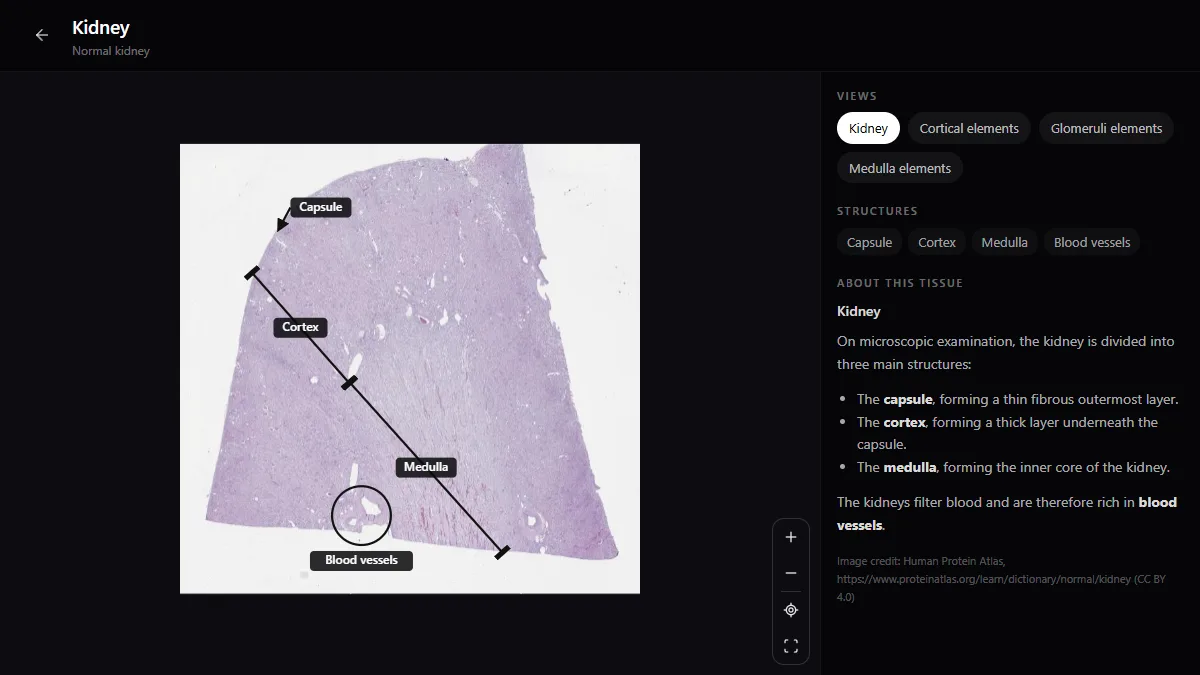
- Step 1 — Scan whole slides from 4× to 40× in RadioAnato AI (5 min). Open the tissue in RadioAnato AI on iPhone, iPad or Android (or in the free web histology atlas). Before zooming in on cells, identify the capsule, cortex/medulla or four gut wall layers at low magnification, and ask the AI tutor to show the 3D organ so you see where the section was cut.
- Step 2 — Play the “Reverse Spotter” game with AI (10 min). Hide the labels on the slide. Write a two-sentence description of what you see (epithelium, glands, muscle layers, ducts) and use the prompt below without naming the organ. If the AI cannot tell whether you are looking at the parotid gland or the pancreas, your description is missing a key diagnostic clue (islets of Langerhans vs striated ducts).
- Step 3 — Drill look-alike pairs side by side (10 min). Almost every practical exam mark is lost on look-alikes: duodenum vs jejunum vs ileum, elastic vs muscular artery, ureter vs vas deferens, skeletal vs cardiac vs smooth muscle. Ask the RadioAnato AI tutor (or your AI assistant) to quiz you on the single fastest tie-breaker between each pair.
- Step 4 — Save failed pairs into Anki (5 min). Add one image-occlusion card per tie-breaker criterion you missed.
Study it in RadioAnato AI
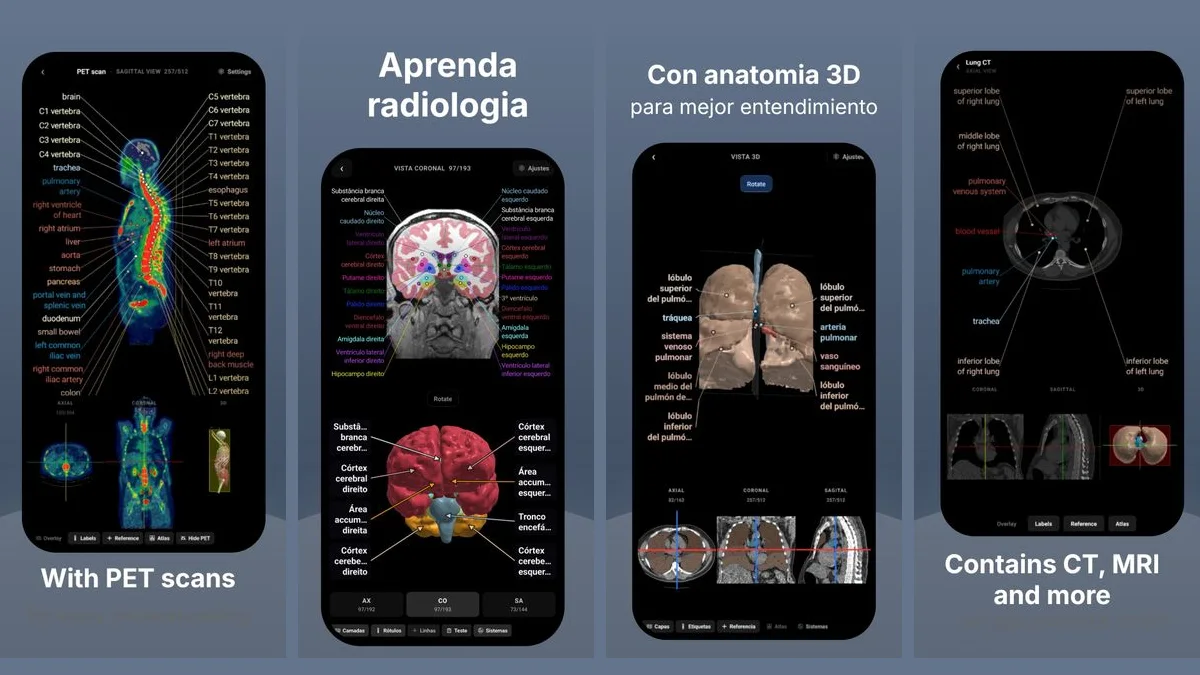
RadioAnato AI, the DecodeMed app, puts 3D anatomy, CT and MRI studies, histology slides and an AI tutor that answers on them in your pocket. Free to download for iPhone, iPad and Android.
Prompts to use in RadioAnato AI and your histology sessions
Guided whole-slide walkthrough (ask in RadioAnato AI)
Open the [liver / kidney / cardiac muscle] histology slide alongside the 3D organ. Walk me from low magnification to high magnification, pointing out the 3 architectural landmarks I need for a practical spotter exam.
The “Reverse Spotter” drill (describe the slide, AI checks your clues)
Act as a histology practical examiner. I am looking at a real histology slide with the labels hidden. I will describe the lining epithelium, lumen, glands and stroma without naming the organ. Tell me (1) which organ or tissue matches my description, (2) which look-alike organs are still not ruled out by what I wrote, and (3) what specific structure I should look for on the slide to be 100% certain.
Look-alike tie-breaker table
Create a compact comparison table for these look-alike histology slides: [parotid gland, submandibular gland, sublingual gland, and exocrine pancreas]. Include only: (1) acinar type, (2) duct characteristics, (3) unique tie-breaker feature at low power, and (4) the classic exam trap.
Two-sentence practical exam justification
Quiz me on [the gastrointestinal tract slides: oesophagus, stomach fundus, duodenum, jejunum, ileum, colon, appendix] one at a time. Name one organ and ask me to write the exact two-sentence justification I would write on a spotter exam (epithelium + signature layer feature). Grade my answer strictly.
Where to practise on real slides right now
- Download [RadioAnato AI](/radioanato-ai) for free on iPhone, iPad and Android to get the histology, 3D anatomy and radiology atlases in your pocket.
- Open the [liver slide](/histology-atlas?tissue=liver), [kidney slide](/histology-atlas) and [heart muscle slide](/histology-atlas?tissue=heart-muscle) in the free browser atlas.
- Read our organ-by-organ guide in how to identify histology slides, and compare references in the best histology textbooks and the best free histology atlases online.
To compare AI platforms for microscopy, read the best AI tool to learn histology and the best apps to learn histology.
Frequently asked questions
What is the best AI tool to learn histology?
RadioAnato AI (the DecodeMed app) is the best AI tool for histology because its AI tutor teaches directly on real, zoomable whole-slide sections paired with the 3D organ, rather than guessing from uploaded photos. You can download it for free on iOS and Android or use the web histology atlas for free.
How do I study histology with AI without getting wrong answers?
Never rely on a general chatbot to identify an unlabelled microscope photo. Instead, look at pre-labelled whole slides in RadioAnato AI, hide the labels, and use the “reverse spotter” method so AI critiques your written justification and drills look-alike tissues.
What is the reverse spotter method in histology?
You open a known histology slide in RadioAnato AI with the labels hidden, write down the histological features you observe without naming the organ, and ask the AI examiner whether your description rules out all look-alike tissues or what diagnostic clue you forgot.
Get RadioAnato AI, the DecodeMed app
Anatomy, radiology and histology in one app, on the App Store and Google Play.
About RadioAnato AI